
What are the best data integration platforms?
The best data integration platforms in 2026, compared on schema drift, ETL vs ELT, real-time cost, and the maintenance burden. Answers, not dashboards.
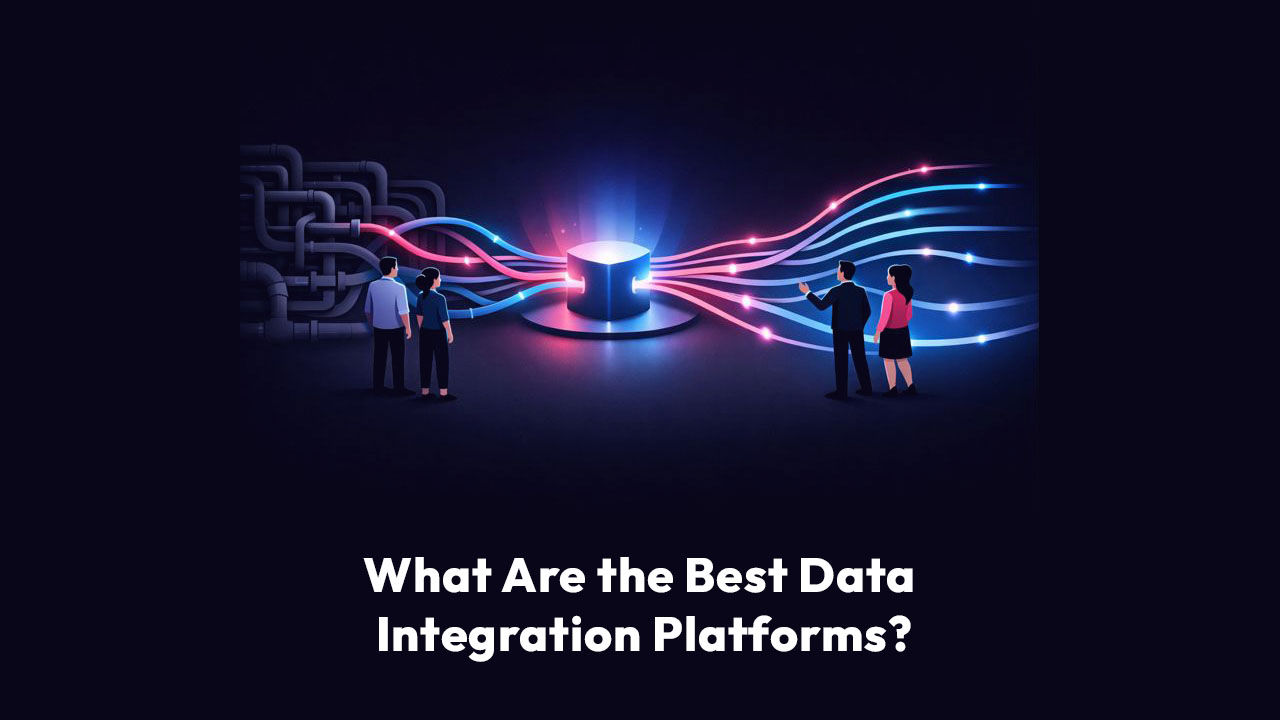
Data integration platforms
The best data integration platform is the one that answers the question you actually asked.
“Not the one with the most connectors. Not the one in the top-right of a Magic Quadrant.”
The one your team uses to find out why the numbers moved, without filing a ticket and waiting three days.
Most buyers evaluate the wrong thing.
They score platforms on:
- Connector count
- Transformation depth
- Governance checkboxes
Those matter. But they describe plumbing.
They do not describe whether a COO gets a clear answer on Monday morning about which of 40 locations is quietly sliding.
This guide covers:
- What actually separates the best data integration platforms in 2026
- ETL-versus-ELT
- How each tool handles schema drift
- What real-time really means
- Maintenance burden that shows up

What is a data integration platform?
A data integration platform connects separate data sources (your CRM, ERP, inventory system, warehouse, spreadsheets) and moves that data into one place where it can be analyzed.
The goal is a single, consistent view of the business without manual exports or a custom engineering project for every new question.
Most data integration platforms handle 3 core jobs:
Ingestion
Connectors pull data out of source systems through APIs, database logs, or file drops.
Transformation
The platform cleans, reshapes, and standardizes data so records from different systems line up.
Delivery
The prepared data lands in a warehouse, lake, or downstream tool.
Every location diagnosed. Every cycle.
Scoop is AI performance management for distributed businesses. It diagnoses performance at every location, every cycle, and hands every manager a clear action plan.
- Every location, every cycle
- Role-specific action plans
- No prompting required
Data integration platform vs. related categories
Buyers conflate four categories that do different jobs. Getting the distinction right saves you from paying for the wrong tool.
Data integration platform
Moves, transforms, and unifies data from many sources into one place for analysis. Choose it when the goal is consolidating data for reporting or AI.
iPaaS (integration platform as a service)
Connects applications to automate workflows, like syncing new CRM contacts into an email tool. Choose it when you need actions triggered between apps, not analytics.
Analytics and BI platform
Visualizes and reports on data that is already integrated. Choose it when the job is presenting data, not moving it.
A broader environment that folds integration, storage, governance, and analytics together. Choose it to reduce tool sprawl.

The 7 best data integration platforms in 2026
The best platform depends on what you are actually trying to do:
- Move data
- Transform it
- Govern it
- Interpret it
No single tool wins every dimension, so each entry below notes what it is built for.
We weighed:
- Connector breadth
- Transformation depth
- Governance
- Deployment flexibility
- How accessible the tool is
1. Fivetran
Fivetran is the reference point for automated, warehouse-first ingestion.
It replicates data from more than 500 sources into a central warehouse with log-based change data capture, automated schema migration, and reliable incremental syncs. It does one job and does it well.
The tradeoff is scope. Fivetran moves data. It does not transform, govern, or analyze it in the same place, so teams pair it with dbt for transformation and a separate BI layer on top.
When ingestion lives in one tool and transformation in another, you manage the seams between tools as much as the data itself.
Best for:
Teams building warehouse-first pipelines who will add separate transformation and BI tools.
2. Scoop
Scoop is the outlier on this list, and deliberately so. It is not another pipe. It is the interpretation and action layer that sits on top of the warehouse, BI, and operational systems you already run.
Where the other platforms get data into one place, Scoop reads that data the way your most experienced operator would and returns a diagnosis: what changed across every location, why, and what to do about it.
The mechanism is codified judgment. Scoop captures how an operator interprets the business data, the thresholds they watch, the signals they act on versus ignore, then runs that logic across every location, every cycle, automatically.
The output is a report. Nobody builds a query.
Best for:
Distributed and multi-location operators who need a clear answer for every location, not another dashboard to interpret.
3. Domo
Domo covers the full data lifecycle in one governed environment:
- Ingestion
- Transformation
- Analytics
It offers more than 1,000 pre-built connectors, a low-code transformation engine with SQL, Python, and R support, and governance built in rather than bolted on.
Federated queries let you analyze data in place without moving it.
It is a strong fit for organizations that want governed self-service analytics from a single vendor.
Best for:
Organizations wanting a unified platform for governed self-service analytics.
4. Talend
Talend, now part of Qlik, brings broad ETL and ELT coverage with strong built-in data quality tooling.
It is low-code enough for semi-technical users to connect and deploy their own sources, and it supports both real-time and batch processing.
The open-source version was retired after the Qlik acquisition, so buyers should weigh how licensing, support, and product direction shift under new ownership before committing long term.
Best for:
Teams that want versatile ETL with strong data quality, especially those already in the Qlik ecosystem.
5. Matillion
Matillion is a cloud-native ELT platform built for transformation inside warehouses like Snowflake, BigQuery, Redshift, and Databricks.
It offers a visual interface for:
- Building pipelines
- No-code and low-code options
- Native CDC support
- AI features that let users transform data from plain-language prompts
Be precise about scope:
Matillion is a transformation specialist, not a full integration solution.
It does not match dedicated ingestion tools on connector breadth, so teams pair it with an upstream ingestion tool and a downstream BI layer.
Best for:
Teams focused on in-warehouse transformation who already have ingestion and BI in place.
6. Informatica
Informatica is the enterprise standard for comprehensive data management:
- ETL
- Data quality
- Governance at scale
- AI-powered cataloging for data discovery
Gartner has named it a leader in the category, and its depth in governance and compliance is hard to match.
That depth comes with weight.
The module-based, engineering-heavy deployment model creates a steep learning curve, and teams without dedicated data engineering resources will feel it in time to value.
Best for:
Large enterprises with complex compliance requirements and dedicated data engineering teams.
7. dbt (data build tool)
dbt is the standard for analytics engineering:
- Version-controlled
- Testable SQL transformations
It is modular, well-documented, and connects cleanly to Snowflake, BigQuery, and other cloud stores.
Because it transforms data in place, it adds no extra storage.
It is transformation only. dbt operates downstream of an ingestion layer and needs complementary tooling for movement and orchestration, so it is a component of a stack rather than a standalone integration platform.
Best for:
Analytics engineering teams that already have ingestion solved and want maintainable, tested SQL transformations.
Data Integration Platform Comparison
ETL vs. ELT: which approach fits your stack?
The ETL-versus-ELT choice shapes your entire architecture, so decide it before you shortlist tools.
ETL (extract, transform, load)
ETL transforms data before it lands in the destination. It fits when sensitive fields must be masked before they reach the warehouse, when the destination has limited compute, or when regulation says raw data can never land.
ELT (extract, load, transform)
ELT loads raw data first, then transforms it inside the destination. It has become the modern default because cloud warehouses like Snowflake, BigQuery, and Redshift bring elastic compute that handles transformation cheaply at scale.
ETL vs. ELT: comparison
What does “real-time” actually mean?
Vendors love the word real-time.
It means at least three different things, and the difference decides what you pay.
What is real-time?
True streaming
Sub-second latency through event-driven architecture, usually built on Kafka or a cloud event service.
Right for fraud detection or live trading dashboards. Overkill for most reporting.
Near-real-time micro-batch
Seconds to minutes, usually powered by change data capture.
This is what most modern platforms actually deliver, and it is fine for the large majority of analytical work.
Scheduled batch
Hourly or daily. Still correct for most reporting.
If your team reviews numbers once a day, sub-minute latency is money spent on nothing.
Change data capture
Change data capture (CDC) is the mechanism behind most near-real-time replication. It reads the database transaction log to spot inserts, updates, and deletes, then streams only those changes.
Far cheaper than scanning full tables every cycle.
When a vendor claims real-time, ask which tier they mean and what it costs at your volume.

The maintenance problem nobody demos
Here is what separates the tools people are happy with long term from the ones they regret: what happens after the demo.
Every platform looks clean in a demo.
The pain shows up months later, when an upstream system changes and pipelines start breaking.
Ask any practitioner what actually held up over time and the answer is consistent.
It is not the feature list. It is how little babysitting the tool needs.
The recurring complaints cluster tightly:
Schema drift breaks pipelines silently
An upstream column changes, and downstream workflows fail one by one while no one notices until a dashboard shows an impossible number.
Hidden costs stack up
Retry charges, backfill processing, egress fees, separate transformation compute.
Tool sprawl multiplies the seams
Ingestion in one tool, transformation in another, governance in a third. Teams end up managing the gaps between tools as much as the data.
Connector coverage thins at the edges
Common sources are fine. The niche or legacy source you actually need is often the one without a maintained connector.
Codify what your best operators already know.
Scoop captures your operators' tribal knowledge, screens every location automatically, and delivers role-specific action plans. Nobody writes a prompt. The plan just arrives.
- Codified tribal knowledge
- Automatic screening
- Action plans, not dashboards
What should strategy leaders look for in a data integration platform?
Forget the vendor checklist for a moment.
Five capabilities separate a platform your team uses every day from expensive shelf-ware.
If you lead a distributed operation, weigh them in this order.
Can your team use it without IT?
This is the first and most honest test.
If every new report, schema change, and “quick question” needs an IT ticket, you do not have a business-user tool.
You have an IT tool your team is allowed to look at.
Real independence looks like this:
- A new data source connects in minutes, not weeks.
- “Can we add supplier lead time to this?” gets answered in the meeting, not in a ticket queue.
- The people who run the business discover the insight themselves, while the decision is still live.
Does it investigate or just query?
This distinction reframes the entire category.
A query tool answers one question at a time.
You ask why on-time delivery dropped. It shows a chart of on-time delivery over time. You already knew it dropped. That is why you asked.
An investigation-grade approach tests many hypotheses at once and returns the one that holds.
- Supplier performance
- Carrier change
- Seasonality
- Specific product category
- Order-volume spike
- Single warehouse
It screens them, follows the thread that pays off, and reports the root cause with the evidence behind it.
One shows you a problem you already know about. The other tells you what caused it.
What happens when your data changes?
Add one field to the CRM, say “customer priority level,” and watch what the platform does.
With schema-rigid tools, that small change can mean weeks of work. The semantic model needs updating. Relationships need rebuilding. Reports break.
This is schema rigidity, and it quietly kills agility.
Ask every vendor one question: “What happens when I add a column to my source?” If the answer includes “rebuild,” “reconfigure,” or “IT team,” you have your answer.
The best platforms adapt automatically.
The new field appears, the analysis updates, the team keeps working.
Does it speak business or jargon?
Operations leaders think in throughput, cost per unit, on-time delivery, and inventory turns.
Many platforms answer in schema, semantic layers, and DAX.
Picture an operator asking which suppliers drive quality issues.
One platform returns a correlation table with confidence intervals and p-values that needs a data scientist to read.
The other returns a plain answer: three suppliers account for most of the defects, here is the gap versus average, here is the switch that would cut them.
One requires interpretation. The other requires a decision.
What does it really cost?
Stop reading the sticker price. Read the total.
The per-user-per-month number sounds reasonable until you add everything the sales motion left out:
- Per-query or consumption charges that spike with usage.
- Compute and storage billed separately.
- Retry, backfill, and egress fees.
- Features gated behind an enterprise tier you get pushed into six months in.

Data readiness for AI is the new reason integration matters
The reason this category suddenly matters more in 2026 is AI.
Every model, agent, and automated workflow a business wants to deploy depends on clean, governed, consistent data moving reliably between systems.
A model is only as good as the data feeding it.
That raises the bar on the integration layer in three ways:
Certification
Data has to be validated before it reaches an AI system, or the system produces confident nonsense.
Lineage
You need to trace where a number came from and what happened to it along the way, both for trust and for debugging.
Consistency
Structure has to hold across sources and over time, or the model learns the wrong pattern.
Live in weeks. Not months.
We connect to your data, codify your playbook, and train your team. You see a working pilot before anyone commits to a full rollout.
- Connect your data
- Codify your playbook
- Pilot before rollout
How do you choose the right data integration platform?
You are watching demos. Everyone shows you dashboards. Here is how to cut through it.
Run the red-flag test
The vendor’s own answers tell you what you are buying:
- “We’ll need to understand your data model first.” Translation: heavy upfront configuration, and the platform cannot adapt when the model changes.
- “Our professional services team handles implementation.” Translation: complex enough that even the salespeople cannot show you live.
- “That would require the enterprise tier.” Translation: the quote you were given is about to go up.
- “You’ll need a data engineer to set that up.” Translation: not a business-user tool, whatever the marketing says.
Bring a real problem, not their sample data
Stop evaluating features. Evaluate outcomes. Walk into every demo with a live problem:
- “Order fulfillment time rose 23% last quarter and we don’t know why. Show me how you’d figure it out.”
- “Three locations are underperforming. How would I identify which factors are driving it?”
Run the team test
The real evaluation is not whether your most technical analyst can drive it. It is whether your regular operations staff can. Bring them to the demo. Let them try. If they are confused or keep asking to see it again, the platform fails, no matter how the features look. The best platform is the one your team actually uses, every day, without help.

Frequently asked questions about what are the best data integration platforms
What is the best data integration platform for a distributed business?
The best platform for a distributed operation is the one that delivers a clear diagnosis for every location without adding headcount or an IT dependency. Prioritize automatic schema handling, business-user independence, and an interpretation layer that explains why numbers moved, not just that they did. For multi-location operators, that last capability, an interpretation layer built for retail operations leaders, matters more than raw connector count. Connectors get you data. Interpretation gets you decisions.
How much should a data integration platform cost?
Data integration pricing ranges widely, and the sticker price rarely tells the story. Focus on total cost of ownership: base license, consumption or per-query charges, egress fees, transformation compute, implementation, and ongoing engineering time. A platform that needs dedicated staff to maintain can cost far more than its list price suggests. The most predictable options use flat-rate pricing with no hidden per-query or compute surprises.
What is the difference between ETL and data integration platforms?
ETL (extract, transform, load) is a method for moving data from sources into a destination, transforming it along the way. A data integration platform is the broader tool that performs ETL or ELT and often adds quality, governance, and delivery features. Modern platforms fold these together so business users do not stitch separate tools for movement and preparation. Some skip warehouses entirely with federated connections that query sources directly.
Can I integrate data without a data warehouse?
Yes. Federated data connections query source systems directly without moving everything into a central warehouse first. This cuts infrastructure cost, avoids duplication, and suits mid-market teams that need strong analytics without a data-engineering group. It works best when your analysis spans a manageable set of sources and you want to use existing storage investments rather than build new ones.
What happens when my data structure changes after I implement a platform?
With schema-rigid platforms, adding or changing a column can trigger weeks of work to update models, rebuild relationships, and fix broken reports. Platforms with automatic schema handling adapt when columns are added or types change, so pipelines do not silently break. Ask vendors directly: “What happens when I add a column to my CRM?” If the answer includes “rebuild” or “IT team,” expect ongoing maintenance pain.
Do I need IT involvement to use a data integration platform?
It depends on the platform. Traditional tools need IT for connecting sources, building analyses, and maintaining schemas. Business-user-focused platforms let operations staff with spreadsheet skills connect data and build analyses without IT, which improves agility and cuts cost. The most accessible platforms let people work with the spreadsheet logic they already know rather than forcing SQL or a proprietary query language.
Can data integration platforms handle real-time analysis?
Yes, but “real-time” spans a wide range. True streaming delivers sub-second latency through event-driven architecture. Near-real-time micro-batch, usually via change data capture, delivers seconds to minutes and covers most analytical needs. Scheduled batch runs hourly or daily and is fine for most reporting. Match the tier to the decision. Paying for sub-second freshness on a report reviewed once a day is money wasted.
What is the difference between business intelligence and data integration platforms?
BI platforms focus on visualization and reporting: showing what happened through dashboards. Data integration platforms connect and prepare data, and many now add BI features. The lines have blurred. For a strategy leader, the more useful question than the category label is whether you can independently find root causes rather than just view pre-built reports. Interpretation, not visualization, is where most tools fall short.
Get insights like this every week
Analytics, ops strategy, and product updates. No noise.

Book a discovery call
Reach out to start a two-way conversation about your industry, your performance variations across locations, and whether Scoop is the right fit for you.